

Troubleshooting
- Check for LED lights on the BRU, especially the green power light.
- If no lights:
- Verify the boiler is on/has power.
- Check the fused spur and fuse board.
- Ensure the terminal block is connected and undamaged.If no lights:
- Use a multimeter to check terminal voltage when power is activated. Tighten loose wires/connections.
- If there is no voltage and the wires are intact, a component in the BRU has likely failed.
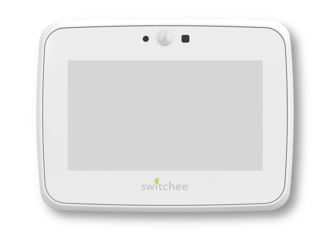
Replace only the Switchee BRU; the Head Unit (display) does not need replacing.
Pairing the new BRU and Head Unit (after BRU replacement):
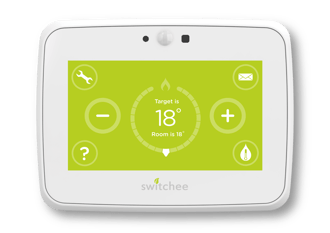
- On the thermostat: Tap Spanner > Next x2 > Admin > Passcode: 0123 > Pair Receiver Unit.
- If previously paired, select 'Reset Pair'.
- Activate BRU for pairing: Hold the Override button on the BRU for 5 seconds (green wireless signal LED will flash slowly).
- Return to Head Unit, press 'Pair'.
- If 'Paired Successfully', test call for heat by raising target temperature above room temperature; observe if radiator LED on BRU turns red.
- If 'Pairing Failed: Timeout', perform a hard reset by disabling power to the Receiver Unit (and thermostat display if AC powered) and restart the process.
- If pairing fails three times, call Switchee Installer Support on 0800 133 7957 - if out of hours, please loop out the Switchee system and ensure resident has access to heat/hot water. Provide/arrange temporary heating if required.

Device fault confirmation & returns:
If a device fault has been confirmed, please call Switchee Support 0800 133 7957 to issue a Returns Reference Code (GR Code). If you are unable to do so, please use the returns form supplied to obtain an OSF code. Please return this device to the office, labelled with either the GR or OSF code, in order for it to be returned to Switchee.
Note: Hand-tighten the bracket only. Using power tools may apply excessive force, potentially damaging the solder joints and block connectors, which are sensitive to vibration and impact.
For more support, contact installer support directly:
Tel: 0800 133 7957 | Email: install@switchee.com