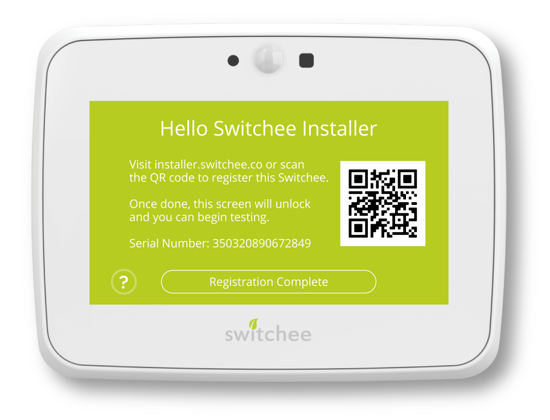
The QR code registration screen has been introduced to streamline registrations, making the process faster and simpler the installer. When you turn a device on for the first time, it displays a message, asking you to scan the QR code to register the device. This is shown in the image below.
To complete the registration of the Switchee, please scan the QR code to access the Switchee installer app (installer.switchee.co). This will auto-complete the IMEI/serial number field for you, once you start the registration.
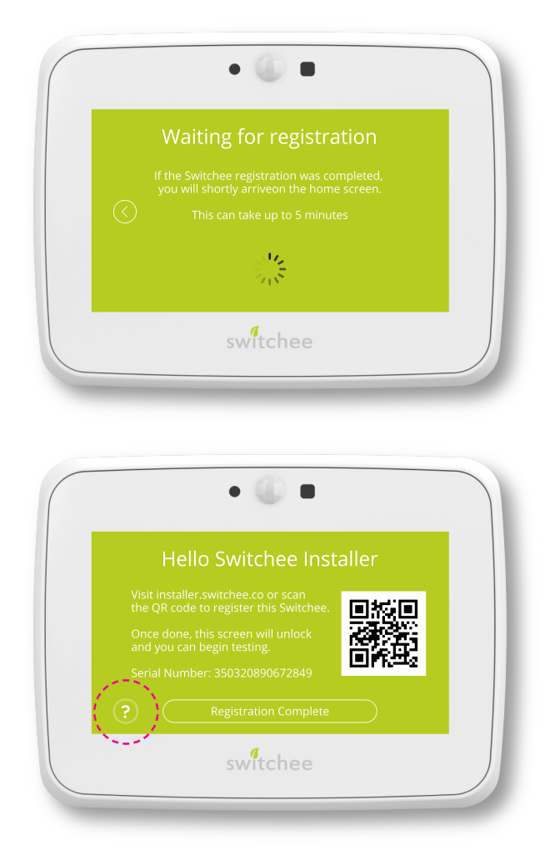
Once you have registered the device on the installer app press Registration Complete on the Switchee device. This will instruct the device to retrieve your registration and unlock the Switchee home screen. This may take up to five minutes, depending on signal strength in the area. Feel free to complete other tasks whilst this occurs. If the device fails to find your registration on the Switchee installer app, you can retry as many times as needed.
If you are unable to complete the registration or the device will not update when pressing Registration Complete, press the question mark in the bottom left corner of the screen.
Following this, you will be presented with two options. These will be Test heating and Register later.
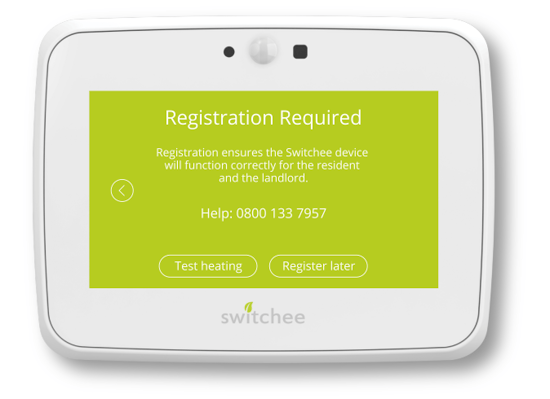
Select Test heating to test the Switchee device before registering it.
After 8 minutes, the device will relock itself and return to the original screen, presenting the QR code for registration.
Select Register later to disable the First Use menu and allow unlimited access to the Switchee’s menus.
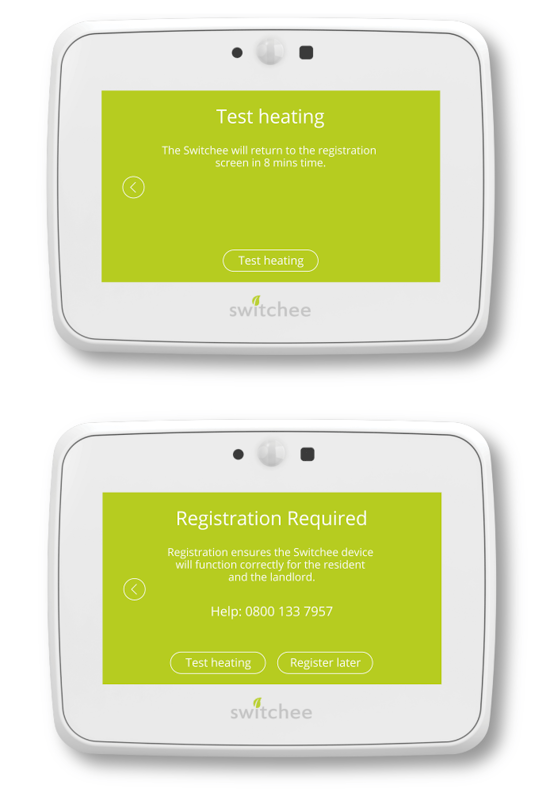
This will activate a registration message on the device, asking the resident to call us. This should only be used in specific situations when you cannot register the device to avoid having the resident register it on your behalf.
If you have chosen Register later due to the device being in an area of poor signal, please call Switchee Support on 0800 133 7957.