
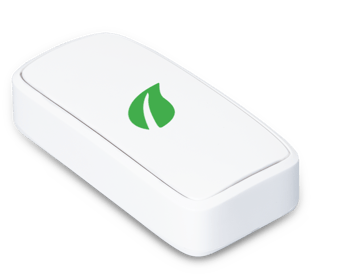
The housing provider has provided this Swift device to help keep the home in a good, safe condition.
- The sensor checks the temperature and humidity in the home.
- Some models also measure general air quality.
- The Swift device has no camera or microphone.
- The sensor readings can help the landlord identify and resolve damp and mould problems.
- We handle all data carefully, following all UK data protection laws.
Stage 1. Activate
Note: You MUST activate your Swift device before it can collect any data. THIS IS A MUST.
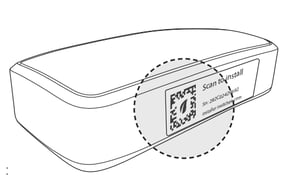
- Scan the QR code (with the leaf icon) on the side of the Swift device and follow the instructions.
Stage 2. Switch it on
- Locate the notch at the top of the back cover.
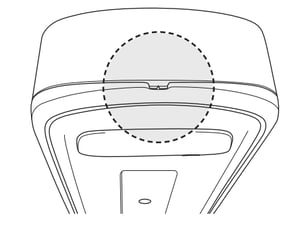
- Use a screwdriver, or similar tool and carefully pop open the back cover.
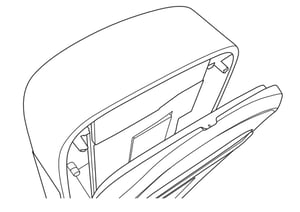
- Flip the On/Off switch to the ‘On’ position.
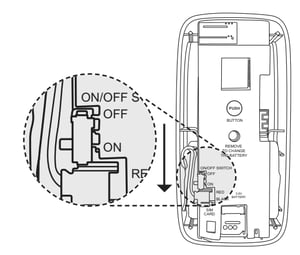
- Replace the back cover, clicking it into place.
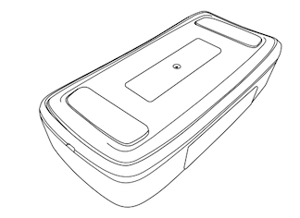
Stage 3. Fix to wall
- Use the adhesive pads provided to stick the Swift device to a suitable position on a wall.
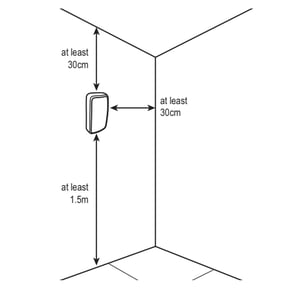
- The Swift device should be located on an internal wall.
- 1.5m+ above floor level
- 30cm+ from ceiling
- 30cm+ from adjoining wall
- Outside of zones 0-2 if in a bathroom
- Avoid areas that could be damaged by adhesive
Note:
- The Swift device is suitable for indoor use only.
- This sensor has been tested and meets applicable limits for radio frequency (RF) exposure.
- It is not waterproof. Do not position where it will come into direct contact with water.
- Do not attempt to disassemble, repair or modify the device.
- The Swift device is not a toy and must be kept out of reach of children.
- Contact Switchee for advice if you wish to replace the battery in the device. Risk of explosion if improper batteries are used.
To find more information and download the leaflet, visit switchee.com/installers/#swift
For more support, contact our installer support team directly on:
Tel: 0800 133 7957 | Email: install@switchee.com