
There are three types of Switchee devices installed in homes around the country. You can tell which one you have by looking at the screen and buttons.
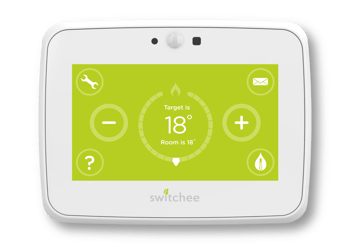
Switchee smart thermostat
You’ll see + and – buttons on the screen to change the temperature.
This device controls your heating and, in some homes, hot water.
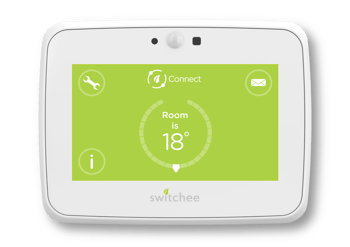
Switchee Connect device
You won’t see + or – temperature buttons.
This device does not control heating or hot water. This device helps your housing provider look after your home by identifying issues like damp and mould and make the right fixes.
Non-display sensors
Other sensors, including those that can measure air quality in the home to ensure a safe living environment or mould sensors to ensure your home remains safe from mould, do not have display or messaging capabilities.

For more support, contact our resident support team directly:
Tel: 0800 133 7957 | Email: support@switchee.com